How to quickly add products to an order you just placed?
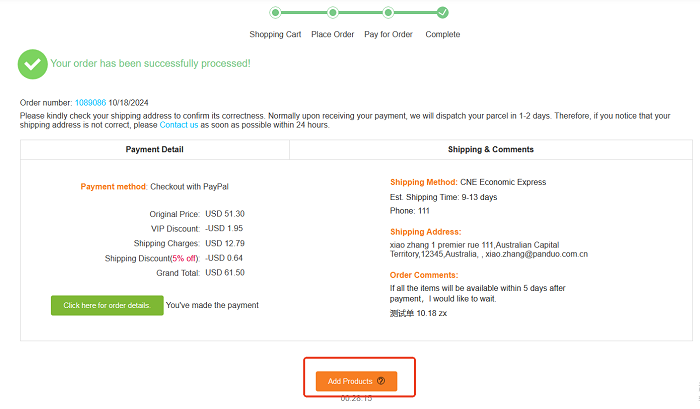
 Method 1   Only for PC: Click the button “Add Products” on the payment success page.
Method 2   For PC & Mobile: Click the button “Add Products” on the page “All Orders”.
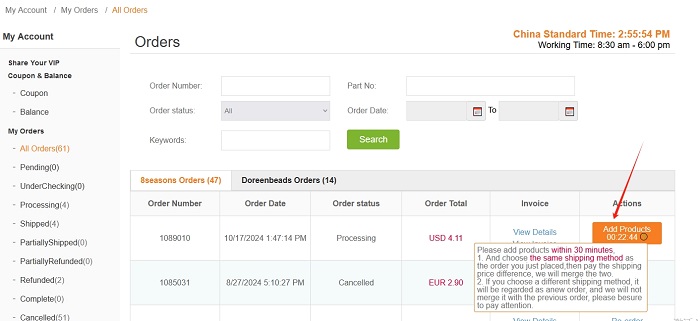
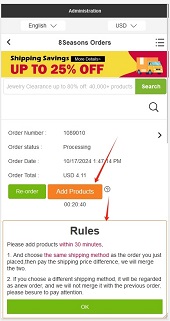
1. Click the button, the page will jump to the 8seasons homepage. You can add products and proceed with the normal ordering process within 30 minutes.

2. The system will automatically select the same shipping method as the order you just placed, then you can pay the shipping price difference (If there is no difference, it will show free shipping), we will merge the two orders.
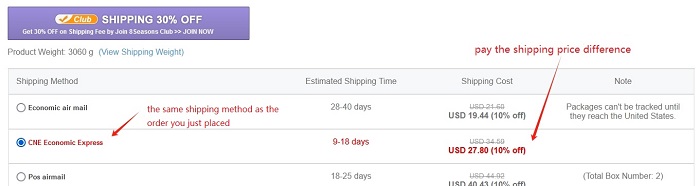
3. If you manually select another shipping method, the order for the additional items will be regarded as a new order by the system. And we will not merge it with your previous order.